Raster Service Settings
When you experience positional inaccuracies in the sense of different layers which are mismatching at certain spots eg. a survey plan layer on top and a satellite/drone picture image underneath do not fit together te way you want then you might want to or even should change the raster service of a layer. In our case we had to change the drone picture image raster service configuration, here is the how to.
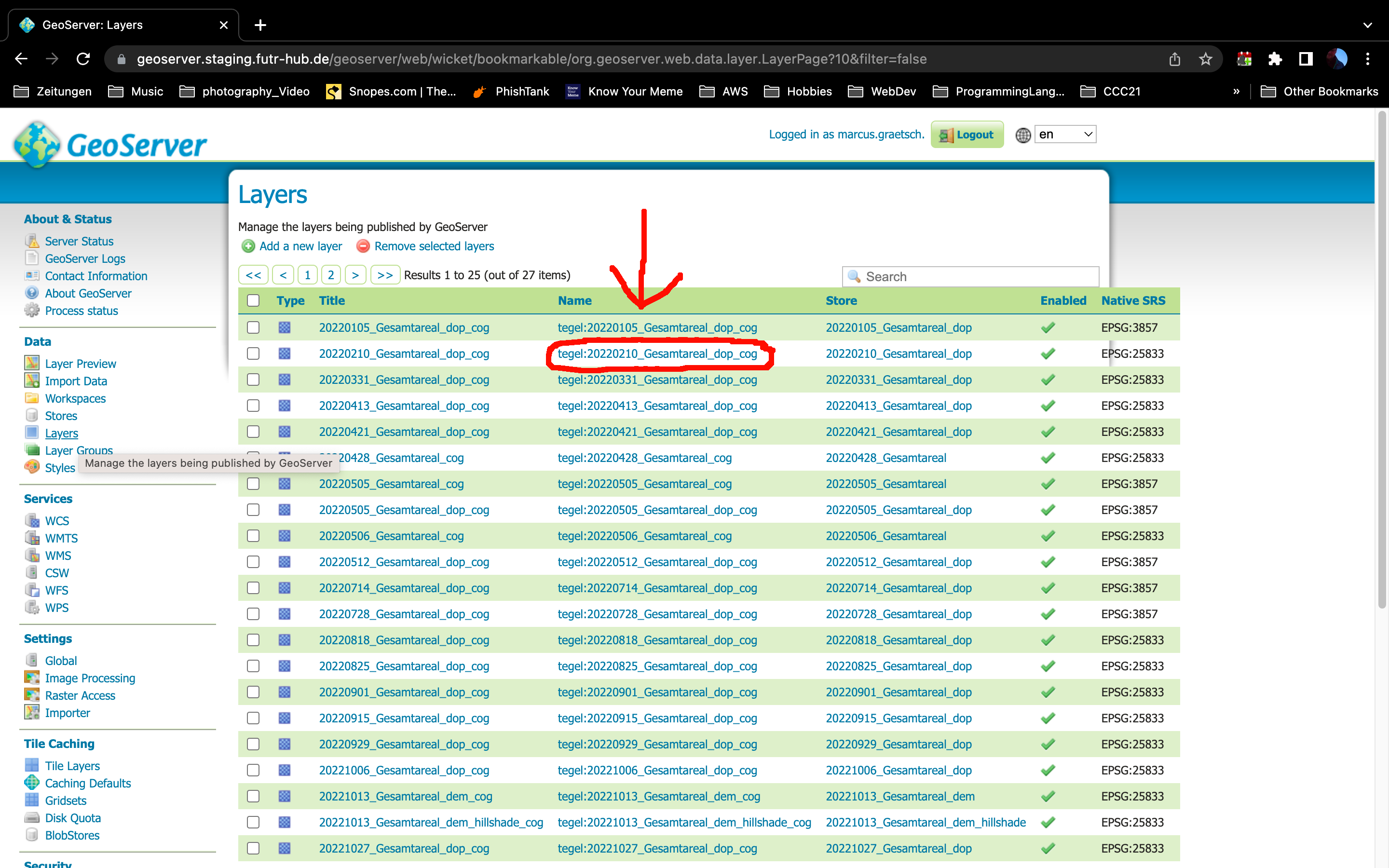
First click on Layers in the left menu list to pull up a list of all layers on the geoserver.
Then click on the layer yoz want to change:
Tile caching Gridset
Click the tab "Tile Caching" to change the gridset which should be used while caching the layer.
In our case we created a gridset "4326_neu" which has been added by scrolling down to Gridset and then under "Add grid subset" select or search for the gridset you want to use. Hit the green + (plus) button to add that gridset. Hit Save.
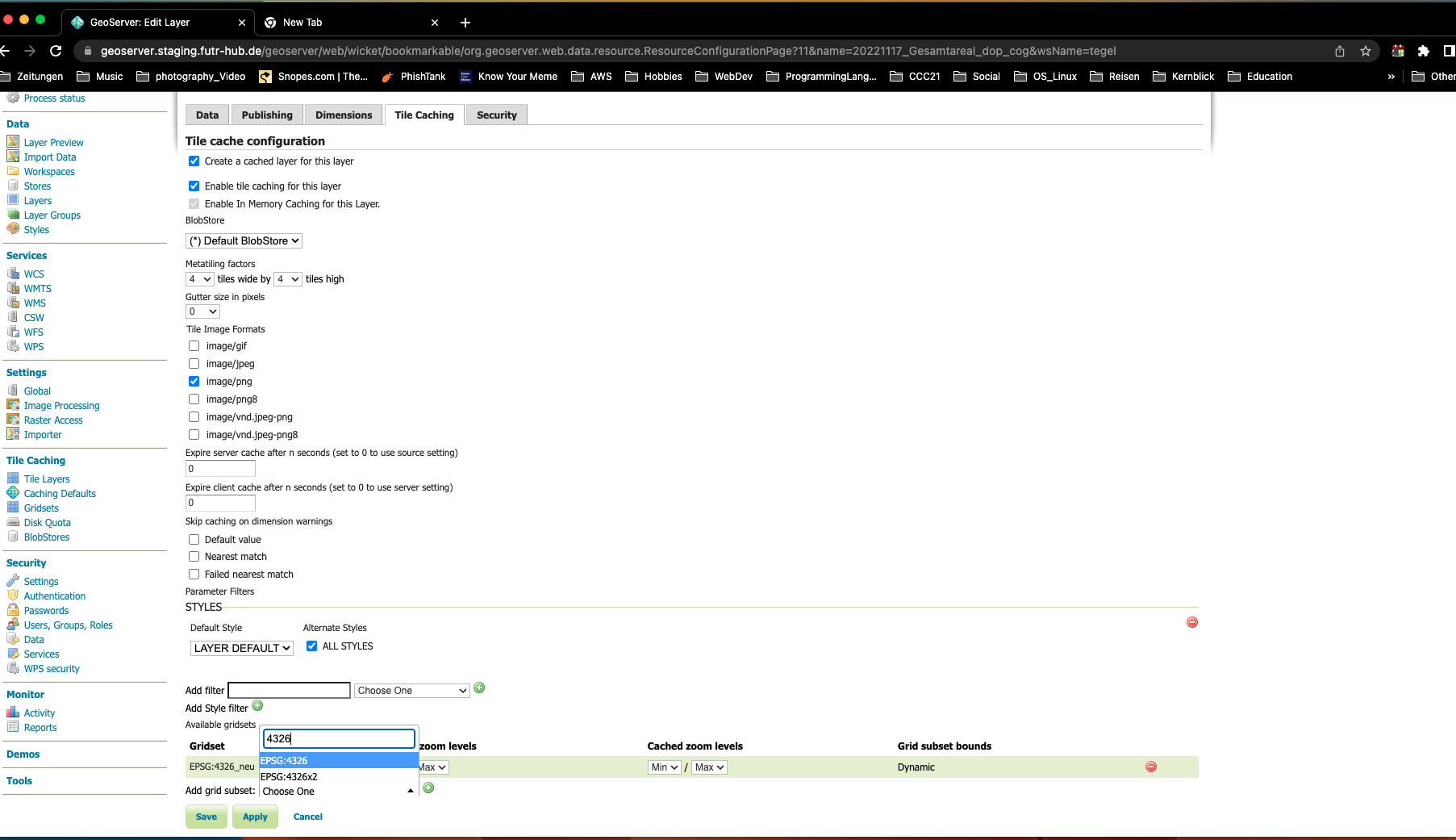
Don't forget to Save/Apply your changes !!
You're done.